juan368 Download – Install the Mobile App on Android or iOS in Minutes

Get the full juan368 experience on your smartphone with our dedicated mobile app. This page walks you through everything you need — from choosing the right version for your device to completing the install and logging in for the first time. Whether you are on Android or iOS, the process is quick, straightforward, and designed for Filipino players on the go.

Android APK iOS Install Free Download Secure & Safe Philippines
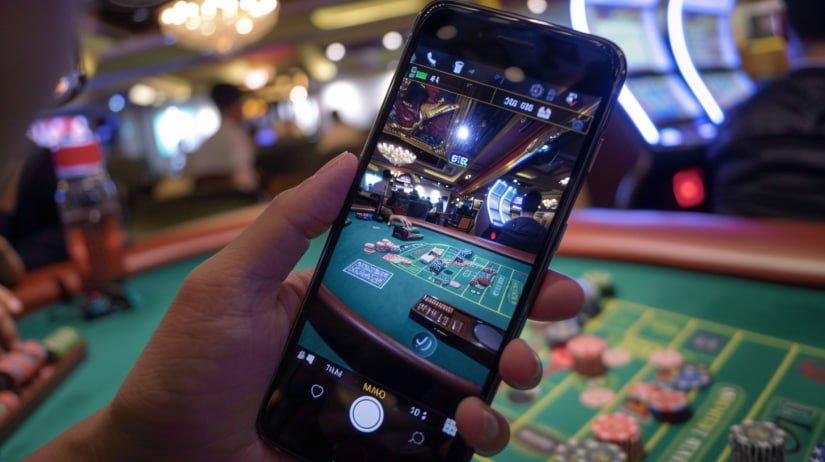
juan368 mobile app download screen shown on an Android smartphone
Android APK Download iOS Home Screen Install Free & Fast Full Casino Access Sports Betting PHP Payments Safe Install Works on Mobile Data 24/7 Access Made for Philippines Android APK Download iOS Home Screen Install Free & Fast Full Casino Access Sports Betting PHP Payments Safe Install Works on Mobile Data 24/7 Access Made for Philippines

What Is the juan368 Download Page For?

The juan368 Download page is your starting point for getting the mobile app onto your Android or iOS device. It provides step-by-step installation instructions tailored for Filipino players, covering both the Android APK method and the iOS browser-based install process. Once the app is installed, you have full access to casino-style games, sports betting markets, PHP deposits and withdrawals, and your account settings — all from your smartphone without needing to open a browser each time. The download is completely free and the app is designed to run smoothly on the mobile devices and data connections commonly used across the Philippines. If you already have a juan368 account, you can log in immediately after installing; new players can register directly through the app in just a few minutes.

Free to Install Android & iOS No Extra Account Needed

Why Download the App Instead of Using a Browser?

Here is what makes the dedicated juan368 app a better experience for Filipino players on mobile.

Faster Loading on Mobile Data

The juan368 app is optimised for the connection speeds typical across the Philippines, loading game lobbies and sports markets faster than a standard browser session. It uses less data overhead than a full browser tab, which matters when you are on a mobile data plan. Casino games, live dealer tables, and sports betting sections all launch quickly from the home screen icon without any extra steps. The app caches key interface elements so repeat visits feel near-instant even on slower 4G connections. Filipino players who regularly switch between Wi-Fi and mobile data will notice the difference immediately.

One Tap From Your Home Screen

After installation, the juan368 app icon sits directly on your smartphone home screen so you can open it with a single tap at any time. There is no need to open a browser, type a URL, or navigate through bookmarks before you can start playing. This convenience is especially useful for players who check sports betting odds frequently throughout the day or want to jump into a quick casino session between other activities. The home screen shortcut works identically on both Android and iOS devices following the installation steps on this page. It is a small change that makes a noticeable difference to how natural and accessible the platform feels on mobile.

Touch-Optimised Interface

The app interface is built specifically for touchscreen navigation, with larger tap targets, swipe-friendly menus, and a layout that adapts cleanly to different screen sizes used by Filipino players. Browsing game categories, placing sports bets, and managing your account all feel natural on a smartphone without the pinch-to-zoom or horizontal scrolling that can occur on a standard browser version. Live dealer game controls are positioned for comfortable one-handed use, which is how most players in the Philippines interact with their phones. The overall experience is more polished and responsive than a browser tab, particularly on mid-range Android devices that are common across the country. Every section of the platform has been reviewed for mobile usability so nothing feels like an afterthought.

Secure & Up to Date

The juan368 app uses the same security standards as the full desktop platform, keeping your account details, payment information, and session data protected at all times. Updates are released regularly to maintain compatibility with the latest Android and iOS versions and to address any security improvements. The Android APK file available through this download page is the official version — always download from this page to ensure you have the genuine, unmodified app. iOS users follow a browser-based install process that does not require any third-party app store, keeping the process clean and straightforward. Your login credentials and account balance are synchronised in real time across all devices so switching between mobile and desktop is seamless.

How Do You Install the juan368 App Step by Step?

Follow these steps to get the app running on your Android or iOS device in just a few minutes.

Android Installation

  1. Open your device Settings and go to Security or Privacy, then enable "Install from Unknown Sources" or "Allow from this source" for your browser app.
  2. Visit this Download page on your Android browser and tap the Download APK button to save the juan368 APK file to your device.
  3. Open the downloaded file from your notifications bar or file manager and tap Install when prompted.
  4. Wait for the install to complete — it usually takes under a minute — then tap Open or find the juan368 icon on your home screen.
  5. Log in or Register using your existing juan368 account credentials, or create a new account through the Register page if you are new.

Most Android devices running Android 8.0 or later are fully supported. If you encounter any issues, visit the FAQ page for troubleshooting guidance.

iOS Installation

  1. Open Safari on your iPhone or iPad and navigate to the juan368 platform. Safari is recommended for the best iOS install experience.
  2. Tap the Share button at the bottom of the Safari browser — it looks like a box with an arrow pointing upward.
  3. Scroll down in the share menu and tap "Add to Home Screen" from the list of options that appears.
  4. Give the shortcut a name (for example, "juan368") and tap Add in the top right corner to confirm.
  5. Find the juan368 icon on your iOS home screen and tap it to open the platform. Log in via the Login page or register if you are new.

This method works on iPhone and iPad running iOS 13 or later. The experience is fully optimised for Safari on iOS and gives you a dedicated home screen shortcut without needing the App Store.

Step-by-step guide showing how to install the juan368 app on an Android phone in the Philippines

What Can You Do With the App After Installing?

A quick overview of everything available to Filipino players once the app is on your device.

Feature Available on App Notes
Casino-Style Games Yes Slots, table games, live dealer
Sports Betting Yes Basketball, football, and more
PHP Deposits Yes Local e-wallets and bank transfer
PHP Withdrawals Yes Same channels as desktop
Account Management Yes Profile, password, history
New Player Registration Yes Full sign-up supported in-app
Works on Mobile Data Yes Optimised for Philippine 4G

Common Questions About Downloading the juan368 App

Answers to what Filipino players ask most often before and after installing the app.

Yes — downloading and installing the juan368 app is completely free for both Android and iOS users. There are no fees associated with the download itself, and no subscription is required to use the mobile platform. The only costs involved are any deposits you choose to make into your gaming account, which are entirely optional and at your discretion. The app download file is available directly from this page at no charge, and the installation process does not require any paid third-party tools or services. If you have any questions about account costs or payment options, the FAQ page has detailed information written in clear Philippine English.

No — if you already have a juan368 account, you can log in immediately after installing the app using your existing username and password through the Login page. Your account balance, transaction history, and settings are all synchronised in real time so everything carries over to the mobile app automatically. If you are new to juan368, you only need to register once — the Register page is fully accessible through the app and the sign-up process takes just a few minutes. There is no separate mobile account or additional verification required when switching between the desktop and mobile versions of the platform. One account works everywhere.

Android devices require you to enable "Install from Unknown Sources" when installing any APK file that does not come from the Google Play Store. This is a standard Android security setting and does not mean the file is unsafe — it simply means the app is distributed directly rather than through Google Play, which is common for gaming and entertainment platforms in the Philippines. The juan368 APK available on this page is the official, unmodified app file. Once you have completed the installation, you can turn the "Unknown Sources" setting back off in your device security settings if you prefer. If you are unsure how to find this setting on your specific Android device, the FAQ page has step-by-step guidance for common Android models used in the Philippines.

Yes — the juan368 app is designed to work reliably on both Wi-Fi and mobile data connections, which is important for Filipino players who are frequently on the move. The app is optimised for the 4G speeds available across most areas of the Philippines, and casino games as well as sports betting markets load quickly even on a standard mobile data plan. Live dealer games perform best on a stable Wi-Fi or strong 4G connection, though the app will automatically adjust streaming quality based on your available bandwidth to keep the experience smooth. Slot games and sports betting sections are particularly well-suited to mobile data use as they are lightweight and load fast. You can switch between Wi-Fi and mobile data mid-session without losing your place or needing to log in again.

If you run into any issues during the download or installation process, the FAQ page is the best place to start — it covers the most common installation problems for both Android and iOS devices used in the Philippines, with clear step-by-step solutions written in Philippine English. Common issues include the APK not opening, the iOS "Add to Home Screen" option not appearing, or a login error after installation, all of which are addressed in the FAQ. You can also visit the App page for a broader overview of what the mobile platform offers and how it compares to the desktop version. If your question is not covered there, the contact email listed in the footer of this page can be used to reach the support team directly.

More of what juan368 has to offer Filipino players beyond the download guide.

Explore the Full App Overview

The App page gives you a complete picture of what the juan368 mobile platform offers — from casino game categories and sports betting markets to PHP payment tools and account management, all in one place.

Visit App Page

Browse the Casino Section

Once the app is installed, the full casino lobby is available on your phone. Check out the Casino page to see what game categories are on offer, including slots, live dealer baccarat, roulette, and more.

Visit Casino

Need Help? Check the FAQ

The FAQ page covers installation troubleshooting, account setup, payment methods, and more — all written in clear Philippine English for Filipino players. It is the fastest way to find answers without waiting for support.

Go to FAQ

Ready to Play? Download the App and Get Started Today

Installing the juan368 app takes just a few minutes on any Android or iOS device. Once it is on your home screen, you have instant access to casino-style games, sports betting, and PHP payments — all built for Filipino players. Register for free or log in to your existing account and start playing from wherever you are in the Philippines.